A look inside
The live planner, and real pages from a generated trip booklet.
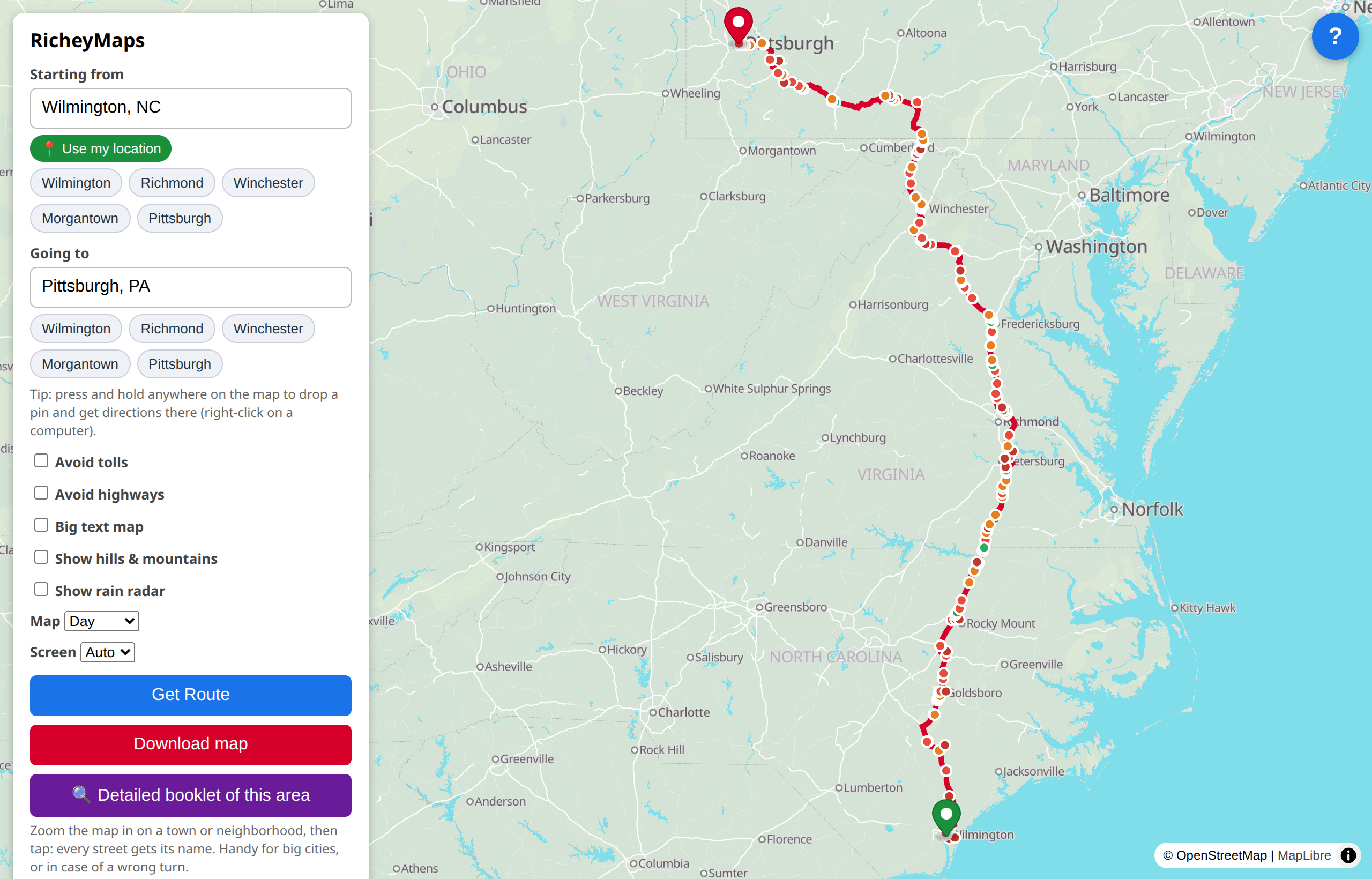
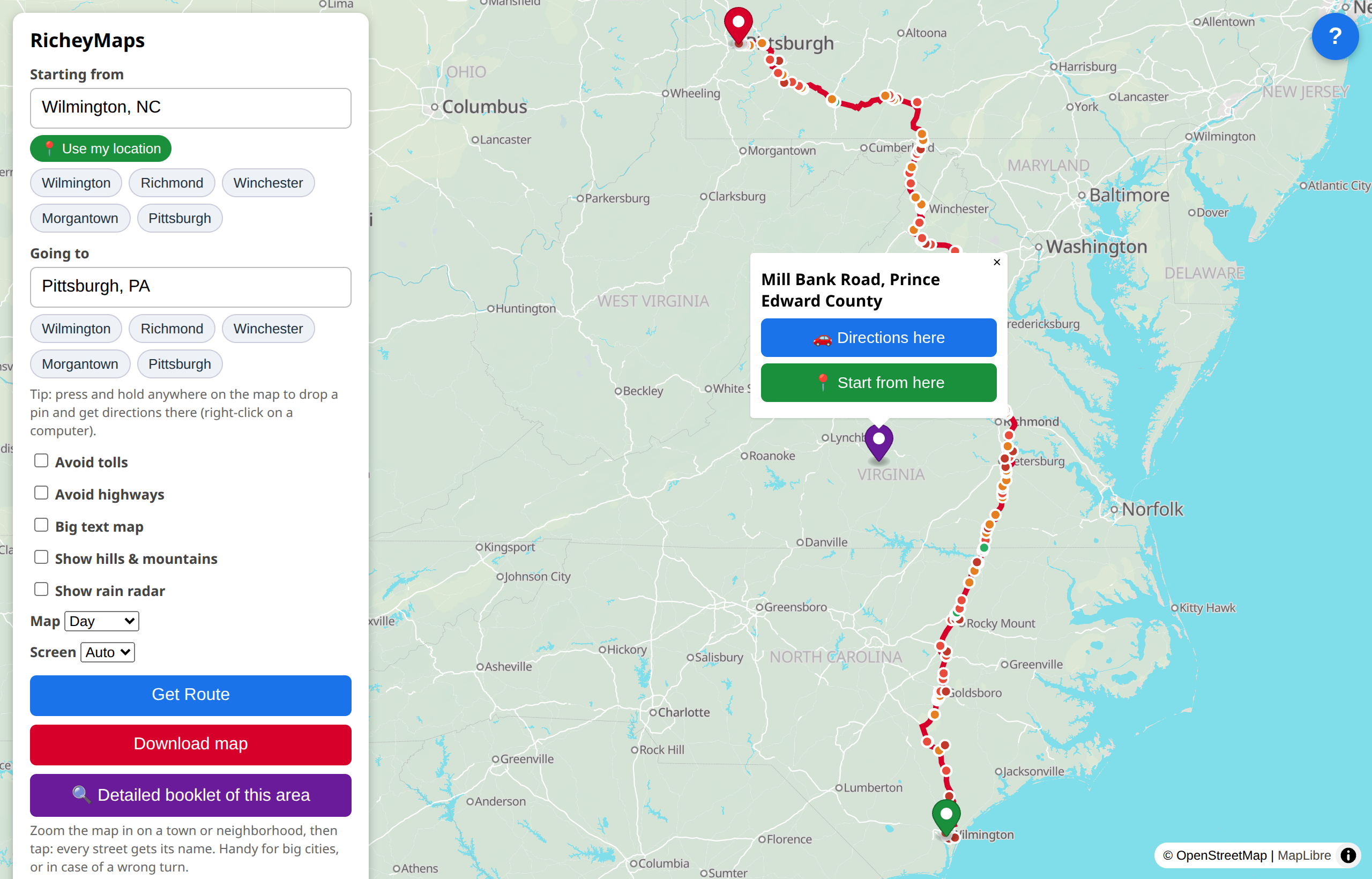
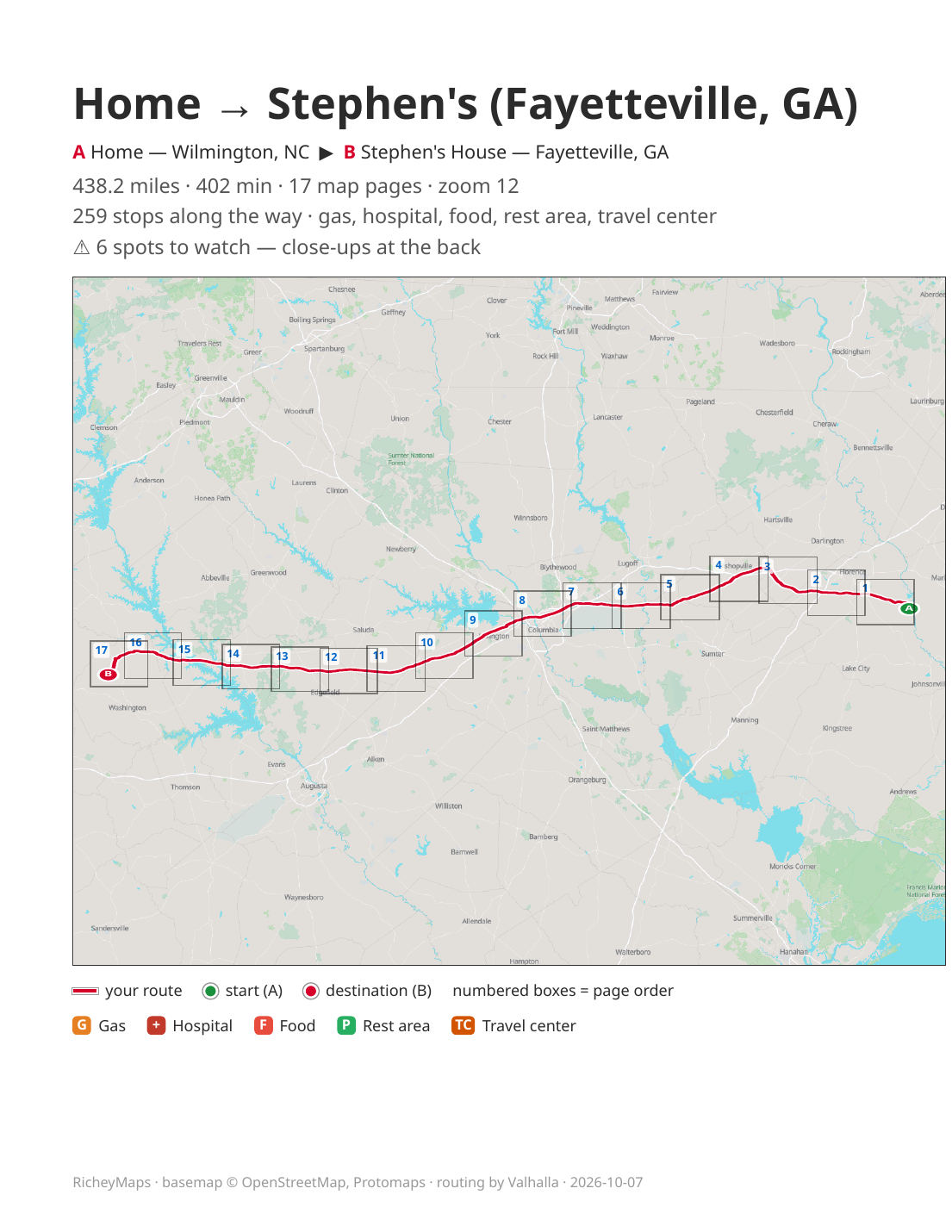
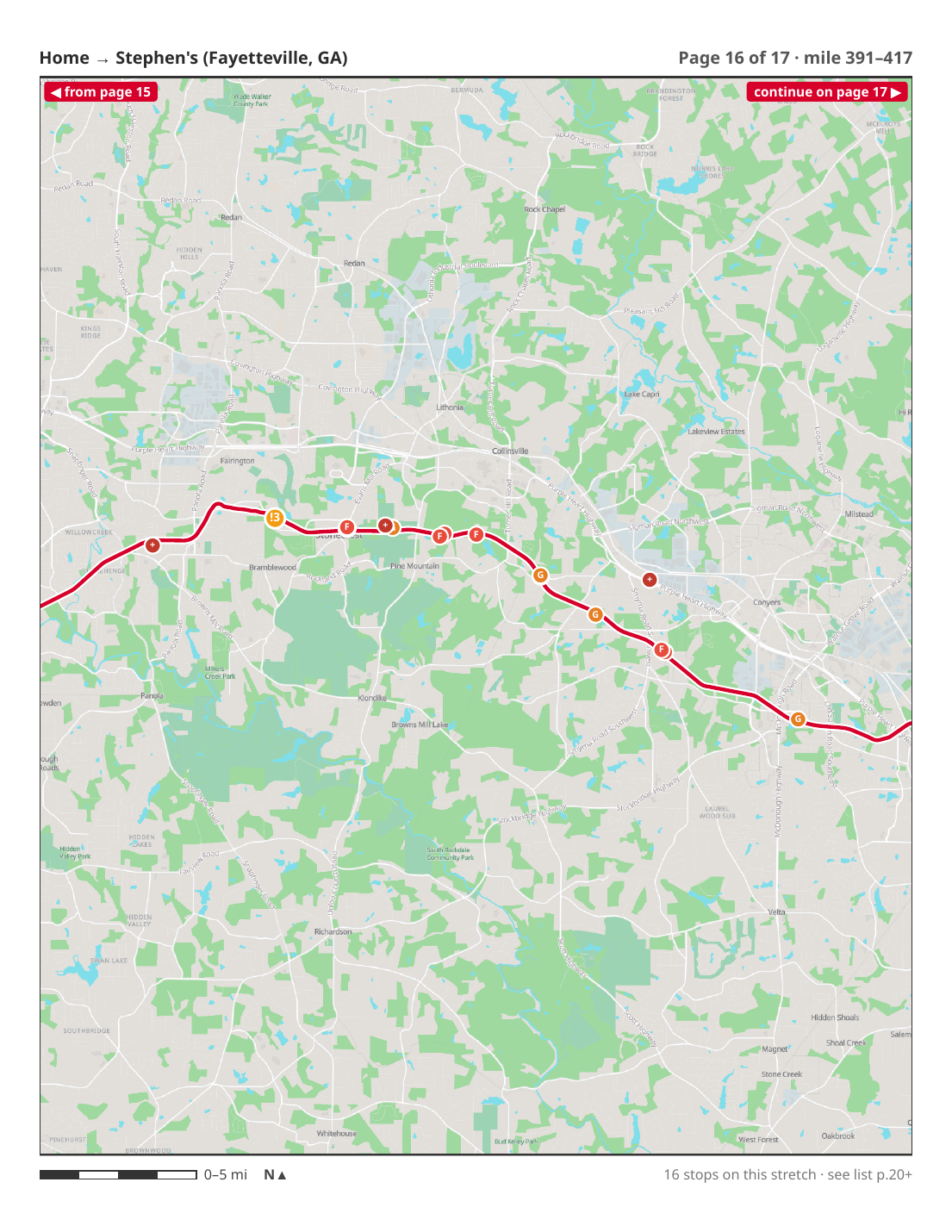
RicheyMaps turns any drive into a self-hosted, printable booklet — the full route, every gas-food-rest stop along the way, and zoomed-in close-ups of the confusing interchanges. Save it or print it, and it works with zero cell signal.
Born from a real problem: a mom lost in rural Virginia with no bars — and a gas station that doesn't sell maps anymore.
Phones gave us turn-by-turn directions — right up until the bars disappear. RicheyMaps is a self-hosted map site that turns any trip into a printable atlas booklet: the route page-by-page, written-out directions, the stops along the way, and close-ups of the spots where people get lost. On paper or a saved PDF that needs no internet, no app, and no account in the field — built from OpenStreetMap data on hardware you control.
The origin story. A mom set out on a long drive and got turned around in the southeastern corner of Virginia. Cell service dropped. The gas station she stopped at didn't sell maps anymore. She was stuck — no signal, no map, no one to ask.
RicheyMaps is the answer to that: a booklet already in her hands before she leaves, that can't lose signal, run out of battery mid-route, or send her the wrong way down a one-way — with the trickiest turns drawn out big so a wrong turn still shows on the page.
Everything that turns a drive into a booklet you can hold.
Search an address, pick a saved place, use your phone's location, or long-press the map to drop a pin anywhere and route to it. Avoid tolls or highways with a tap.
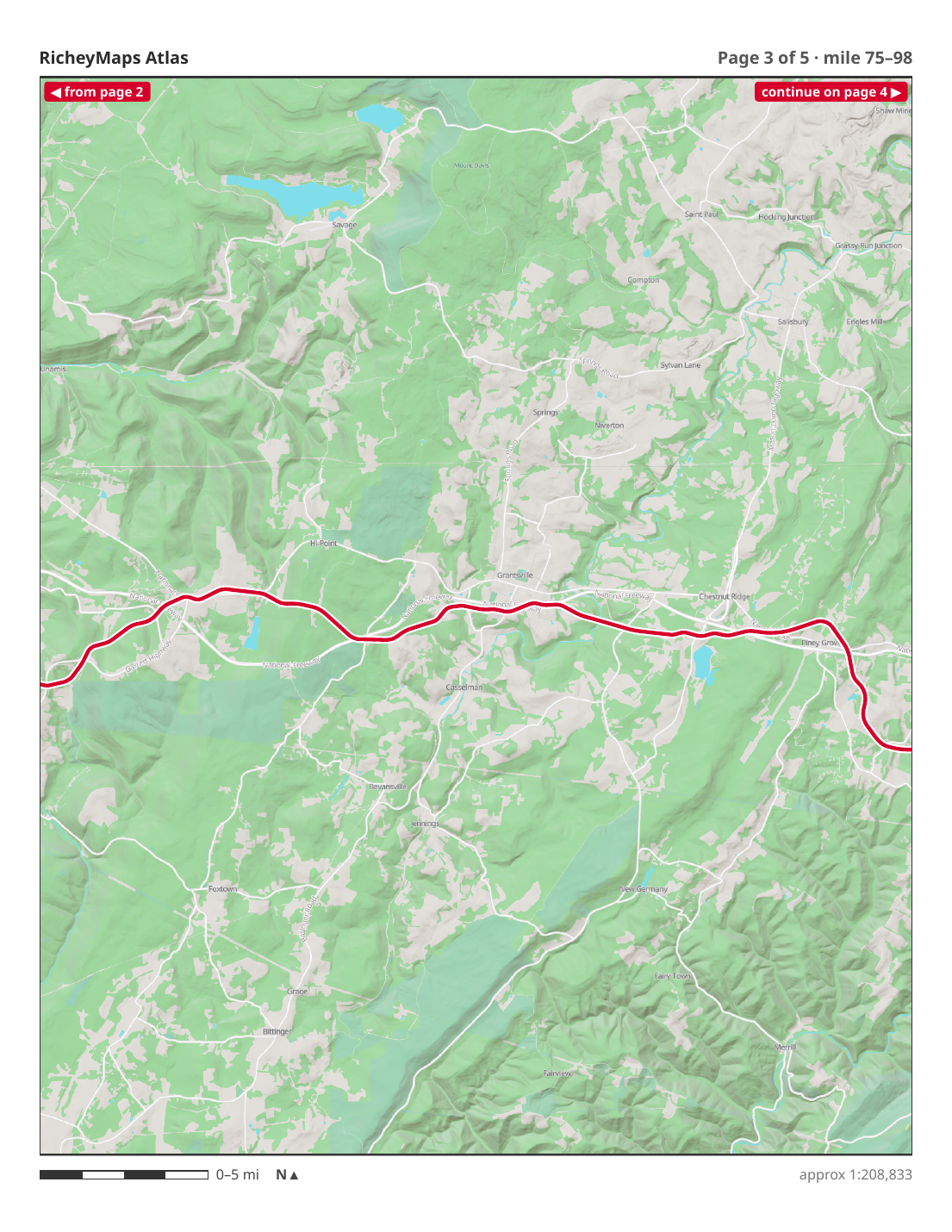
A PDF built in seconds: a cover, a route overview, page-by-page road maps that follow the drive, and the full turn-by-turn directions — all offline once saved or printed.
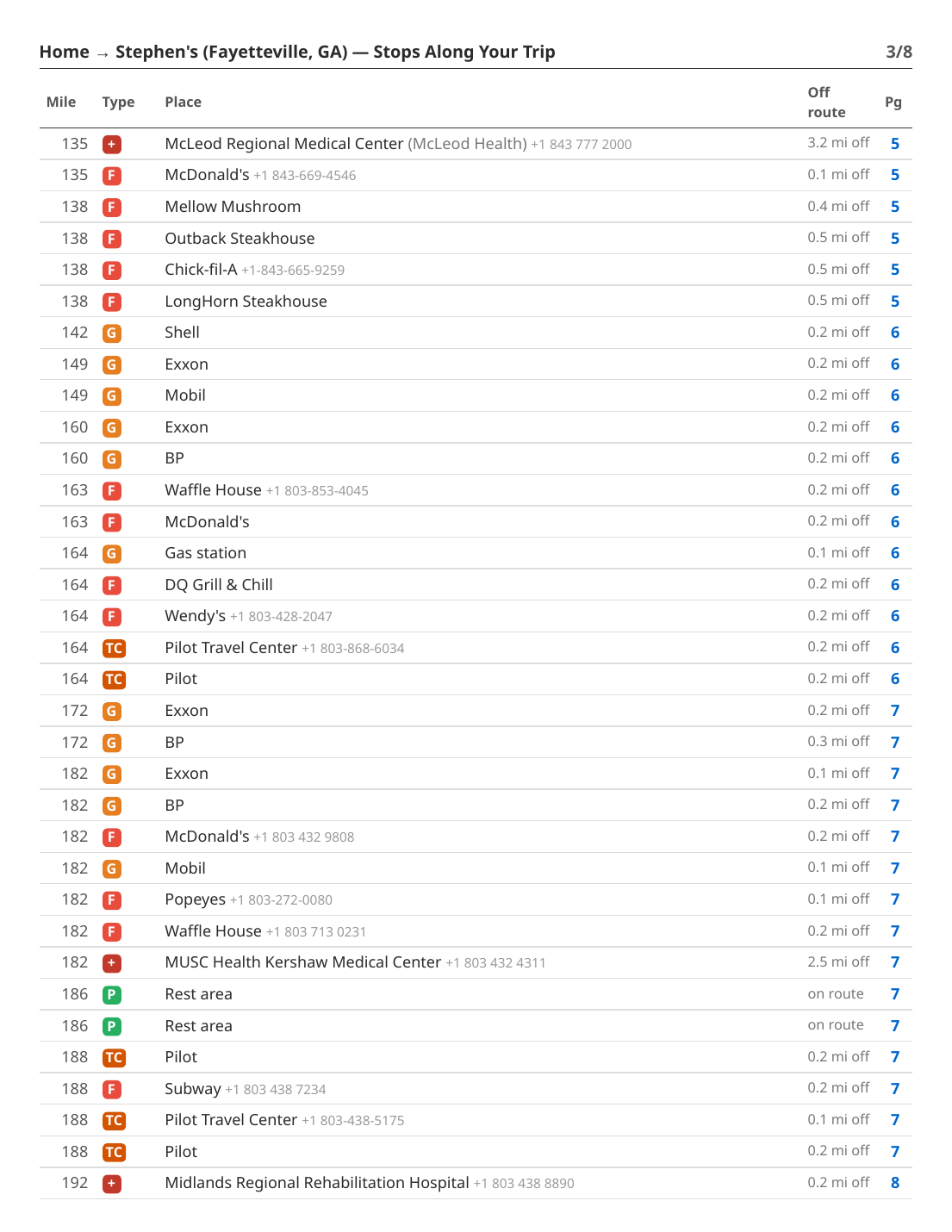
Gas, food, rest areas, hospitals, hotels, EV/Tesla charging, travel centers (Buc-ee's, Love's, Pilot), shopping, camping, attractions and more — drawn on the map and listed mile-by-mile with phone numbers.
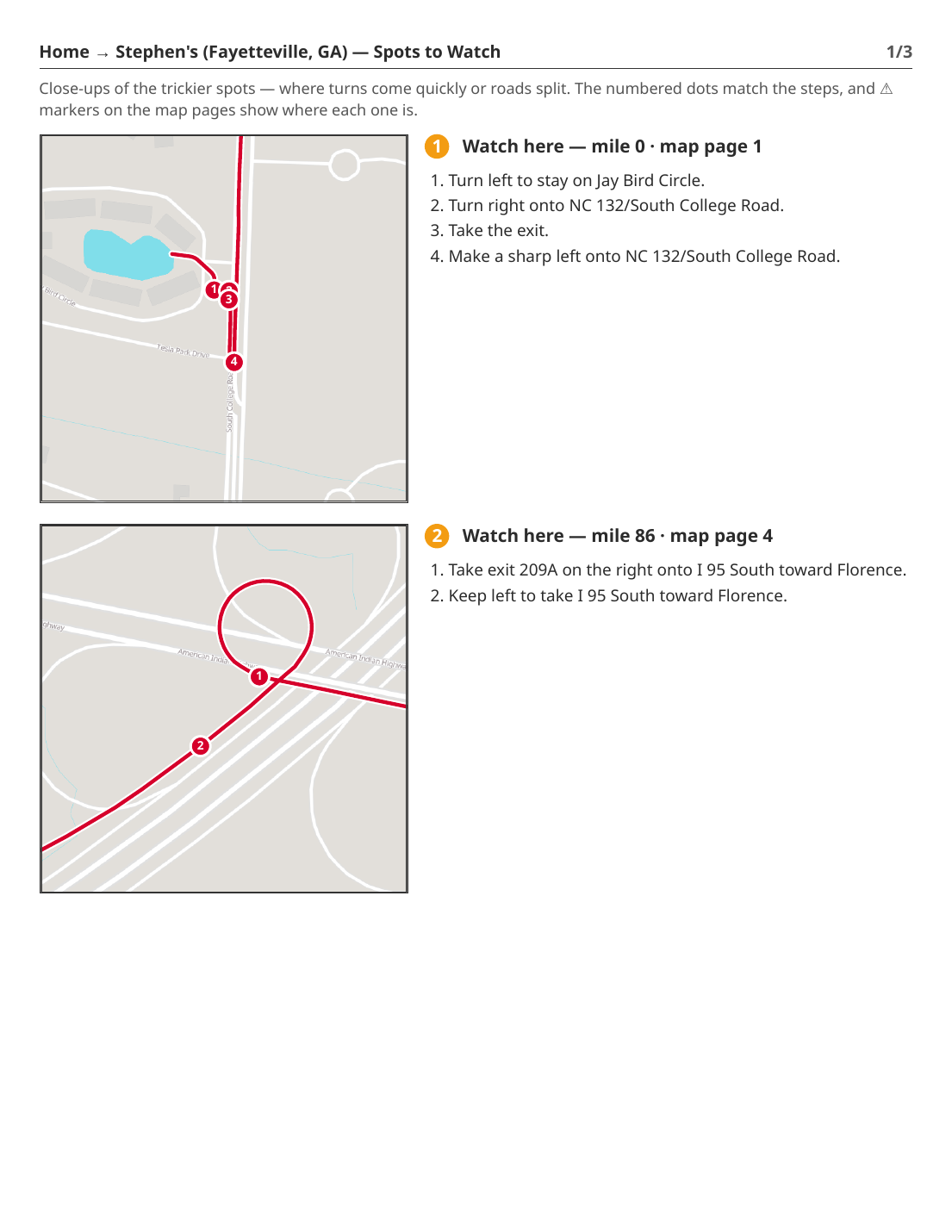
It automatically finds the tricky interchanges — where turns come fast or roads split — and gives each one a zoomed-in close-up with numbered steps, so a wrong turn still shows on the page.
Optional hillshade relief shows the mountains, and a trip-date forecast strip shows the weather for the start, middle and end of your route on the day you travel.
Every booklet you make is kept in a private library — re-download it, re-run it fresh, or email it to yourself. Each person's trips are their own.
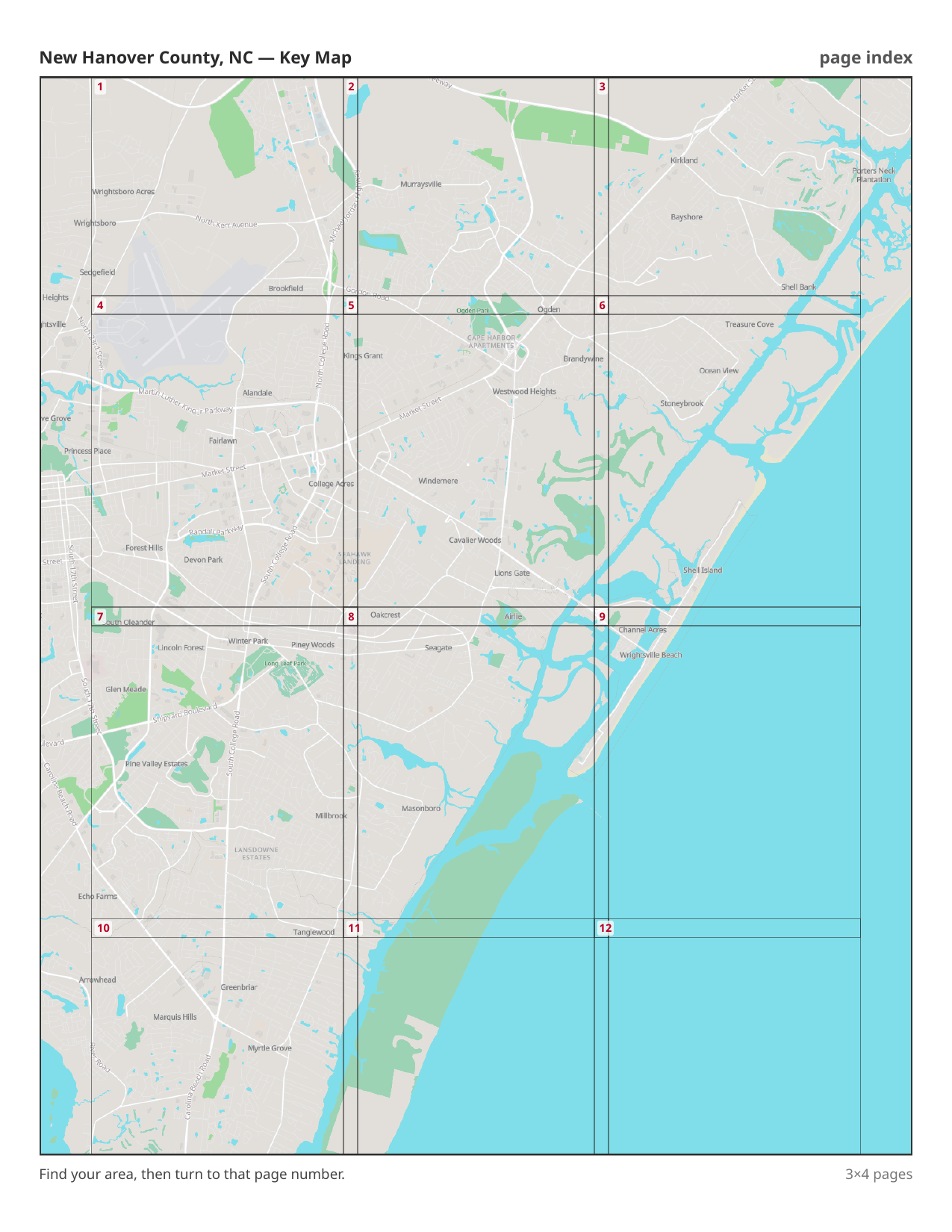
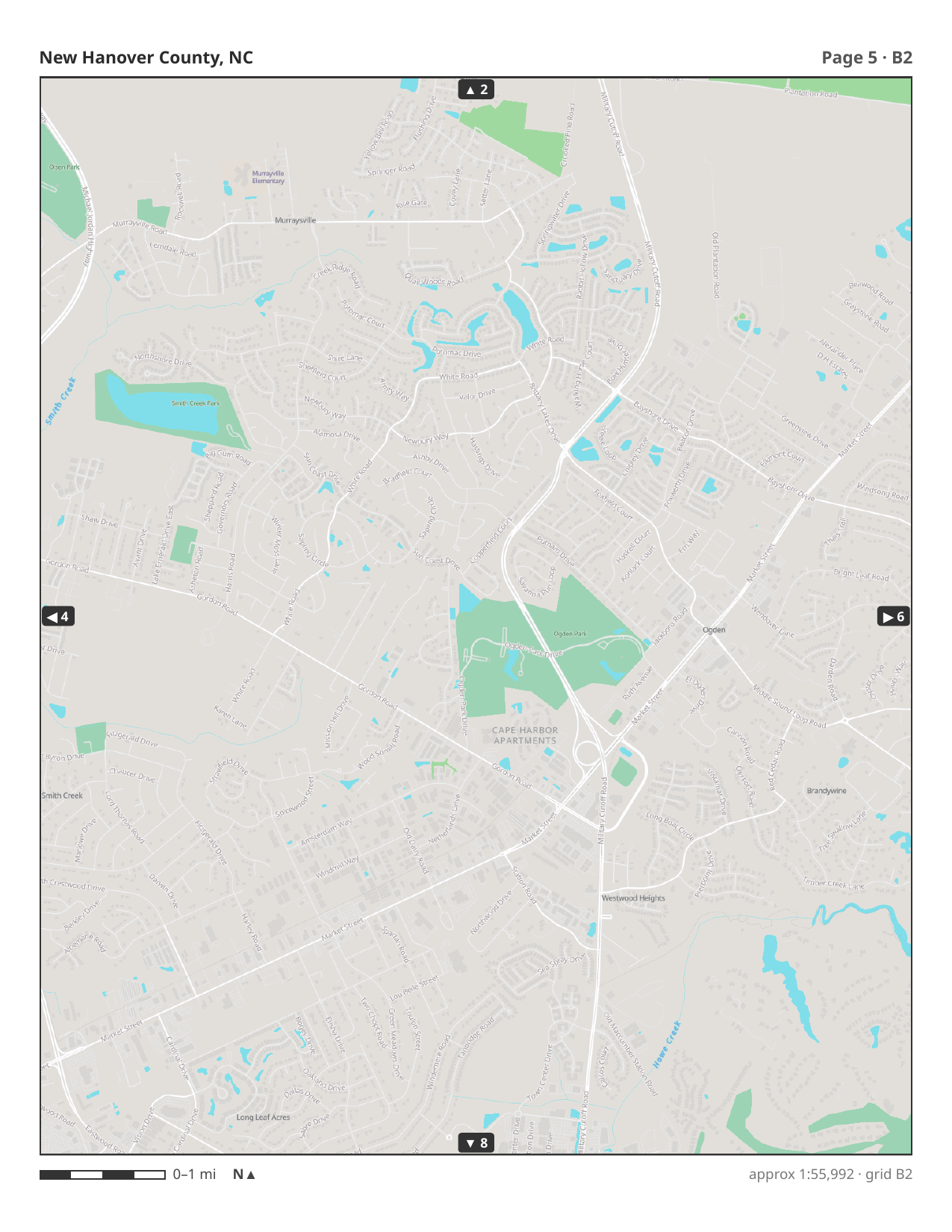
Draw a box around a town, a neighborhood or a whole county and get a bound street-atlas — the old glovebox map book, made to order.
Pick any area on the map — a single neighborhood, a beach town, or an entire county. There's no route to plan; the whole area becomes the book.
You get a cover, a key-map index — "find your area, turn to that page" — and a grid of same-scale pages. Every page carries its grid reference, a scale bar, and "continue on page →" arrows to the neighboring pages, just like the old bound atlases.
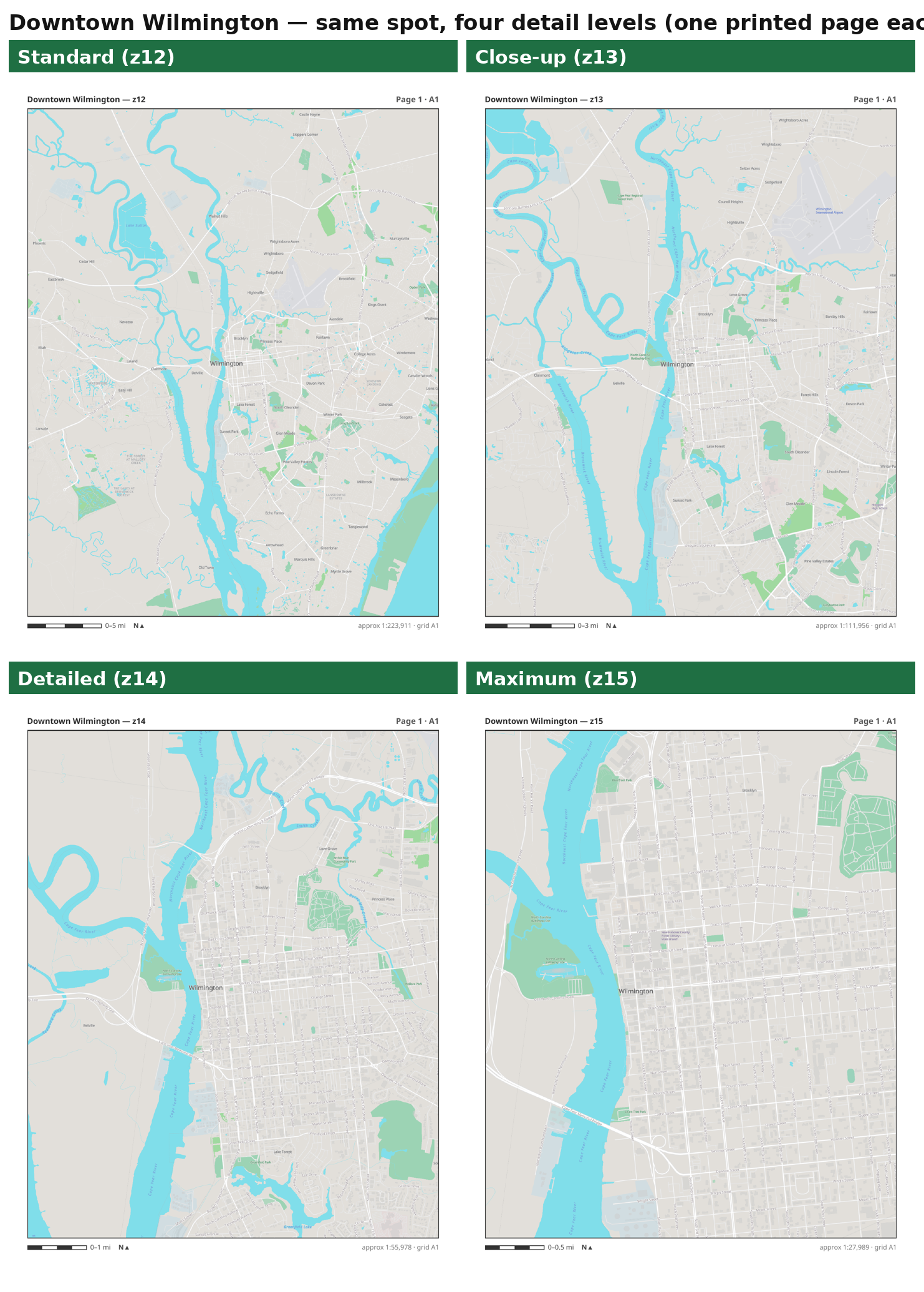
Choose how close you want to be — from Standard (a whole side of town per page) down to Maximum, where every little residential street is drawn and named. More detail simply means more pages.
From "where are we going?" to a booklet in the glovebox.
Type an address, tap a saved place, use "my location" (it can read your phone's position through Home Assistant), or just press-and-hold the map to drop a pin.
The road lights up with distance and time, the turn-by-turn directions, and the kinds of stops you picked plotted along the way.
In a few seconds it builds the PDF — cover, overview, the route pages, a mile-by-mile stop index, the written directions, and the Spots-to-Watch close-ups.
Keep it on your phone or print it for the glovebox. It works with no signal, no app, no account — and it's saved to My Trips so you never lose it.
A map that's actually there when you need it.
The whole point. A printed or saved booklet needs no bars, no battery-hungry GPS app, and no data plan.
Your own maps, built from OpenStreetMap on hardware you control. Nothing leaves your network; no tracking, no map-company account.
Big type, plain language, and a design made so a non-techie can't get lost — with an in-app "?" guide for everything.
Highways stay clean and readable; the confusing interchanges get blown up to street level automatically.
Self-hosted means no per-map fees and no third-party routing bills — the whole corridor runs on your own box.
Email a booklet to yourself or a family member, or push it straight to your phone through Home Assistant.
All open, all self-hostable. No proprietary map API, no per-request meter.
The basemap is a single-file vector tileset served over plain HTTP range requests, drawn by MapLibre. No tile-server to run — just a file on disk.
An open-source routing engine over OpenStreetMap road data gives real driving directions, turn maneuvers, and avoid-tolls / avoid-highways options — all on-prem.
Address and place search, plus reverse-geocoding that names a dropped pin — run locally on the same OpenStreetMap extract.
The whole 8-state Southeast corridor, processed with osmium and go-pmtiles into the basemap, the router's graph, and the search index.
A Node service renders each page from the vector tiles with headless Chromium (MapLibre → PNG), then composes the PDF — route overlays, stop markers, scale bars, and the zoomed-in Spots-to-Watch insets.
The free U.S. NWS forecast API (no key) supplies the trip-date weather strip for the start, midway and destination of the route.
Every path sits behind SSO; trips are private per user. Served through Caddy / Traefik and Cloudflare, with the routing and tile internals kept on the LAN.
Optionally uses your phone's location as the starting point, offers your HA "zones" as quick places, and can push a finished booklet straight to your phone.
Two self-hosted machines, a few gigabytes of open data, and no cloud bill.
Serves the 4.6 GB vector basemap and answers routing + geocoding from a ~2 GB OpenStreetMap extract of the Southeast corridor — behind the SSO, on the LAN.
A Node "atlas" engine drives headless Chromium to render every page and compose the PDF — stops, directions, terrain, weather and the tricky-spot close-ups — in seconds, cached for instant re-downloads.
OpenStreetMap + Protomaps tiles, merged and clipped with osmium/go-pmtiles, feed the basemap, the Valhalla graph and the Nominatim index — rebuildable any time, owned end to end.
The live planner, and real pages from a generated trip booklet.
RicheyMaps is a self-hosted, private map system for families and small fleets. Book a walkthrough, or talk to us about running it on your own hardware.