A look inside
From the live studio — seven engines, one workspace.
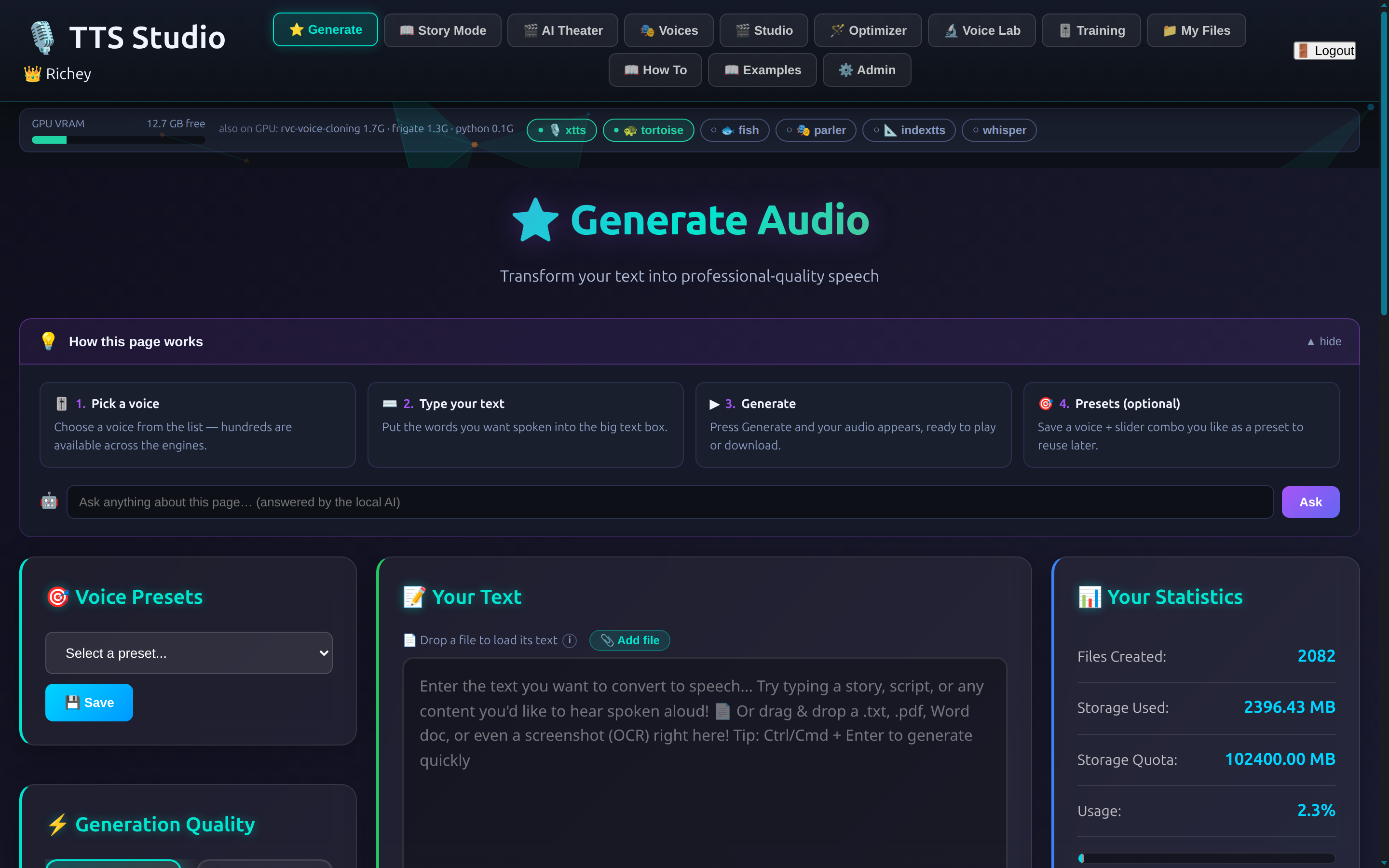
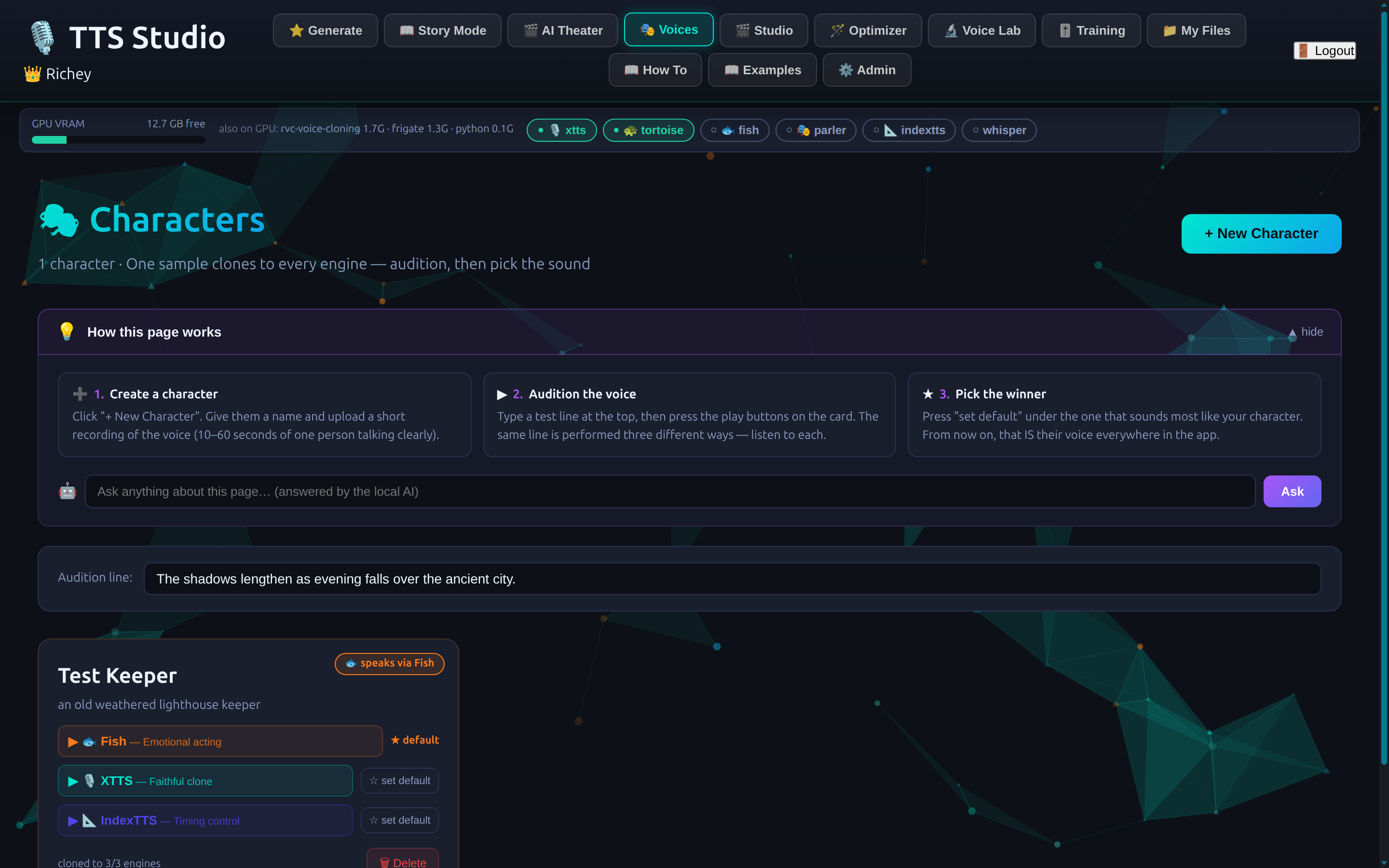
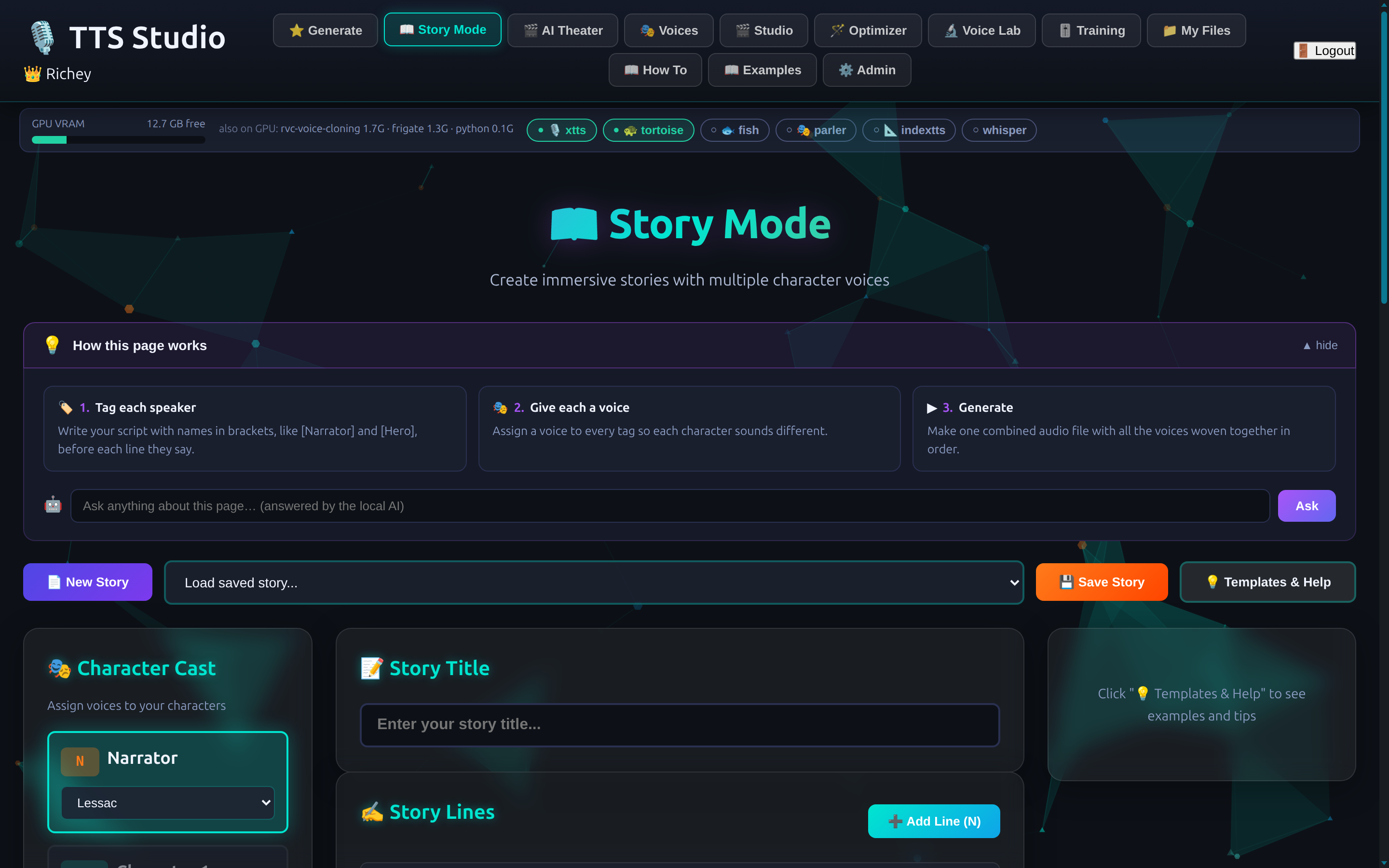
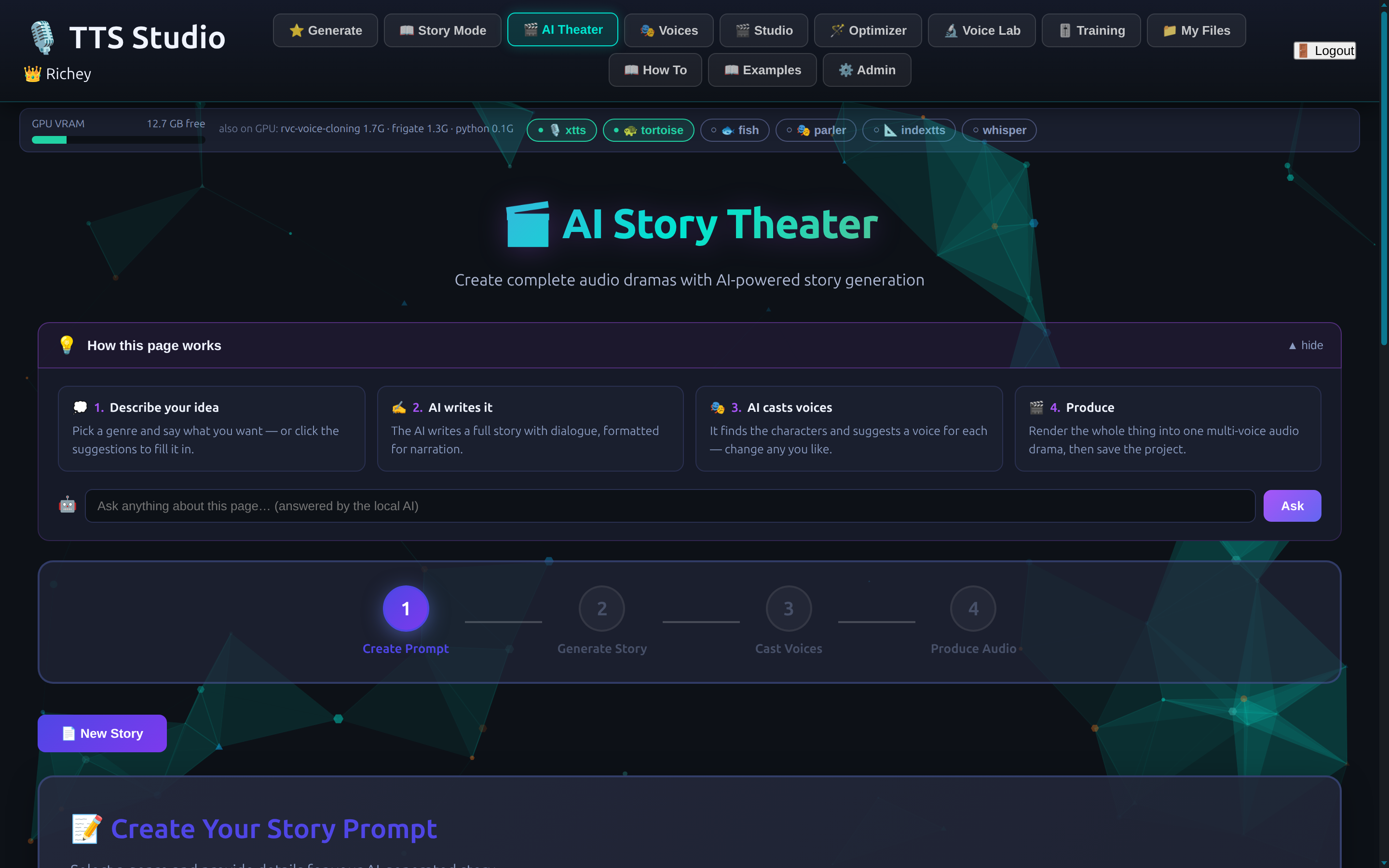
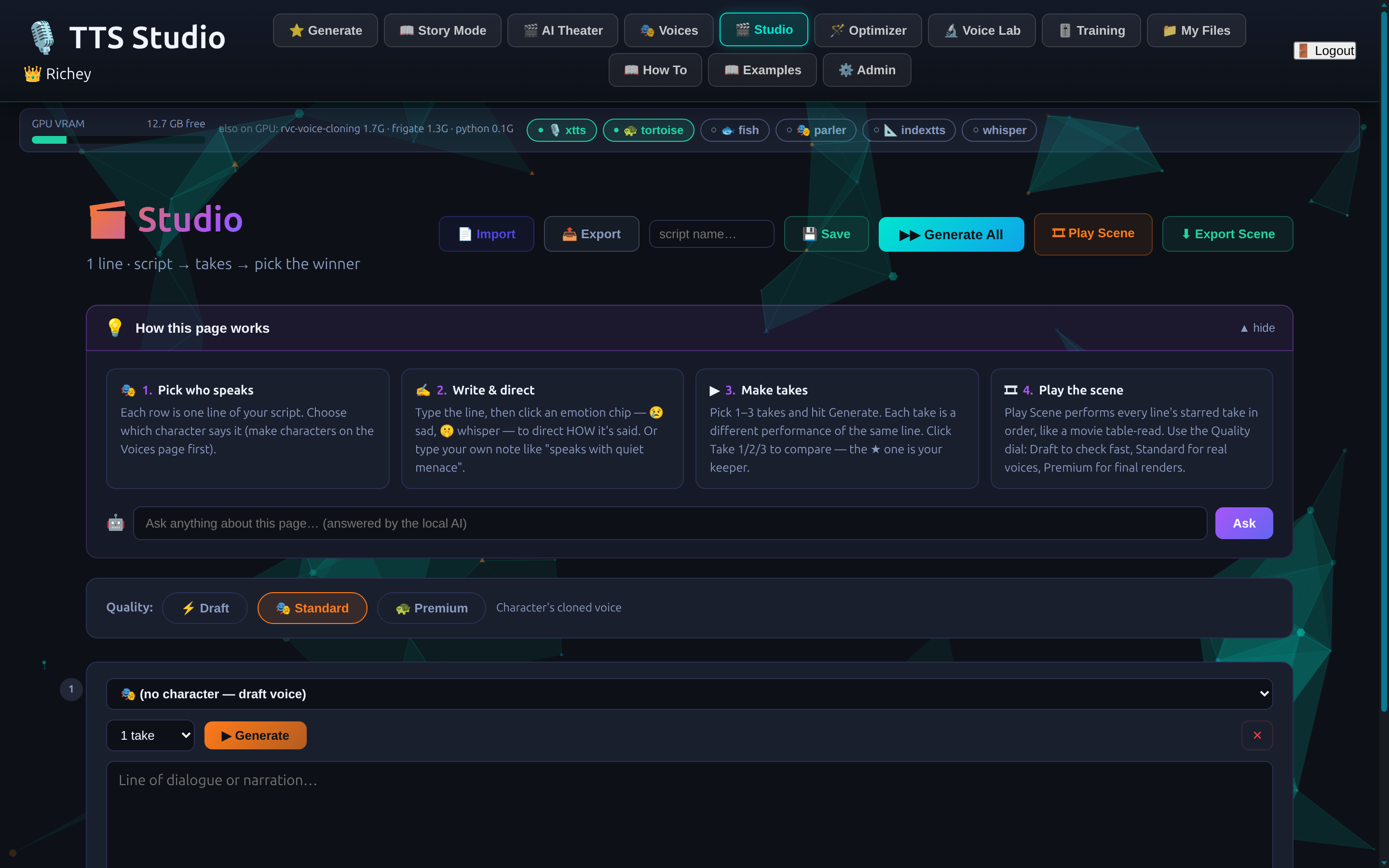
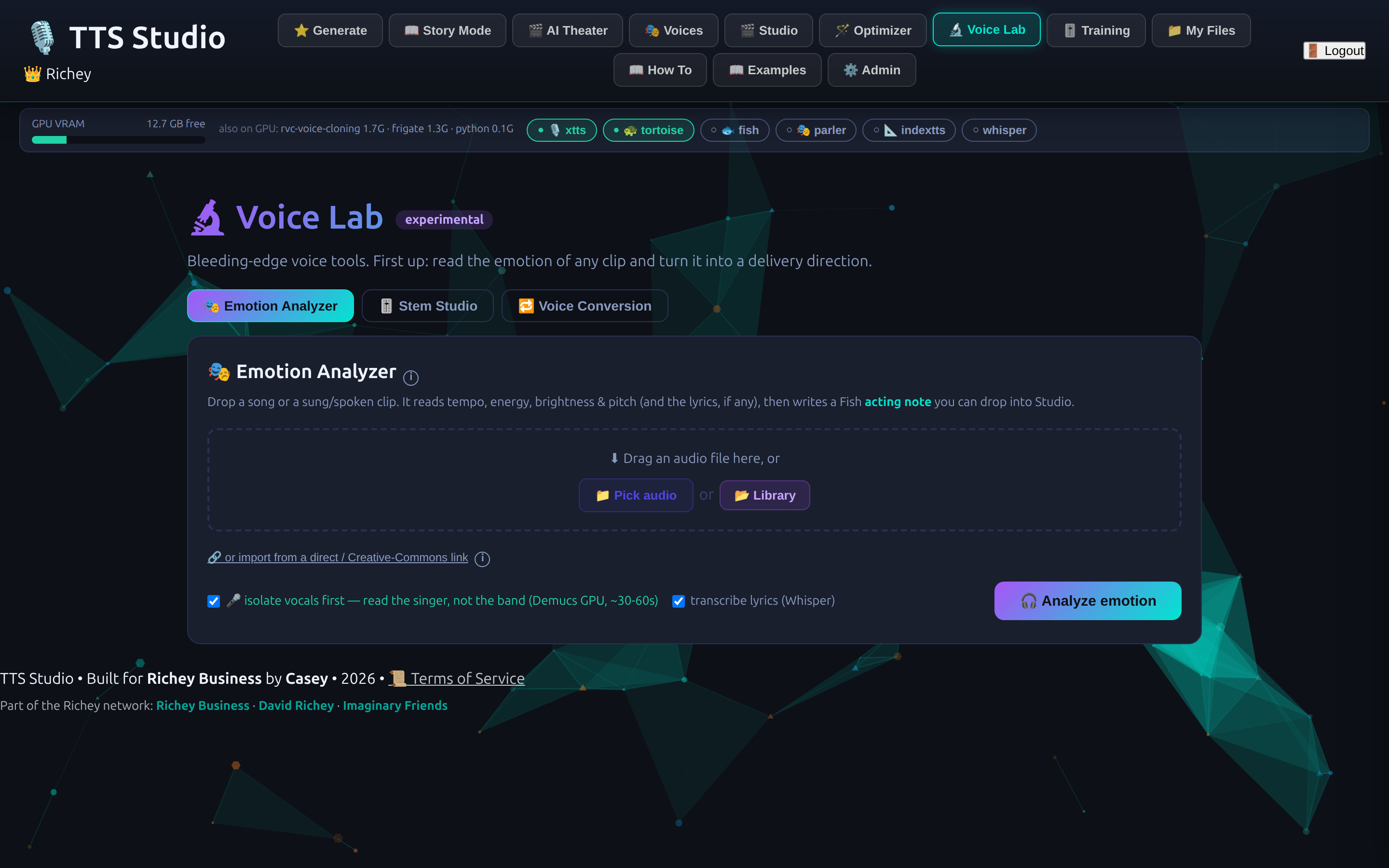
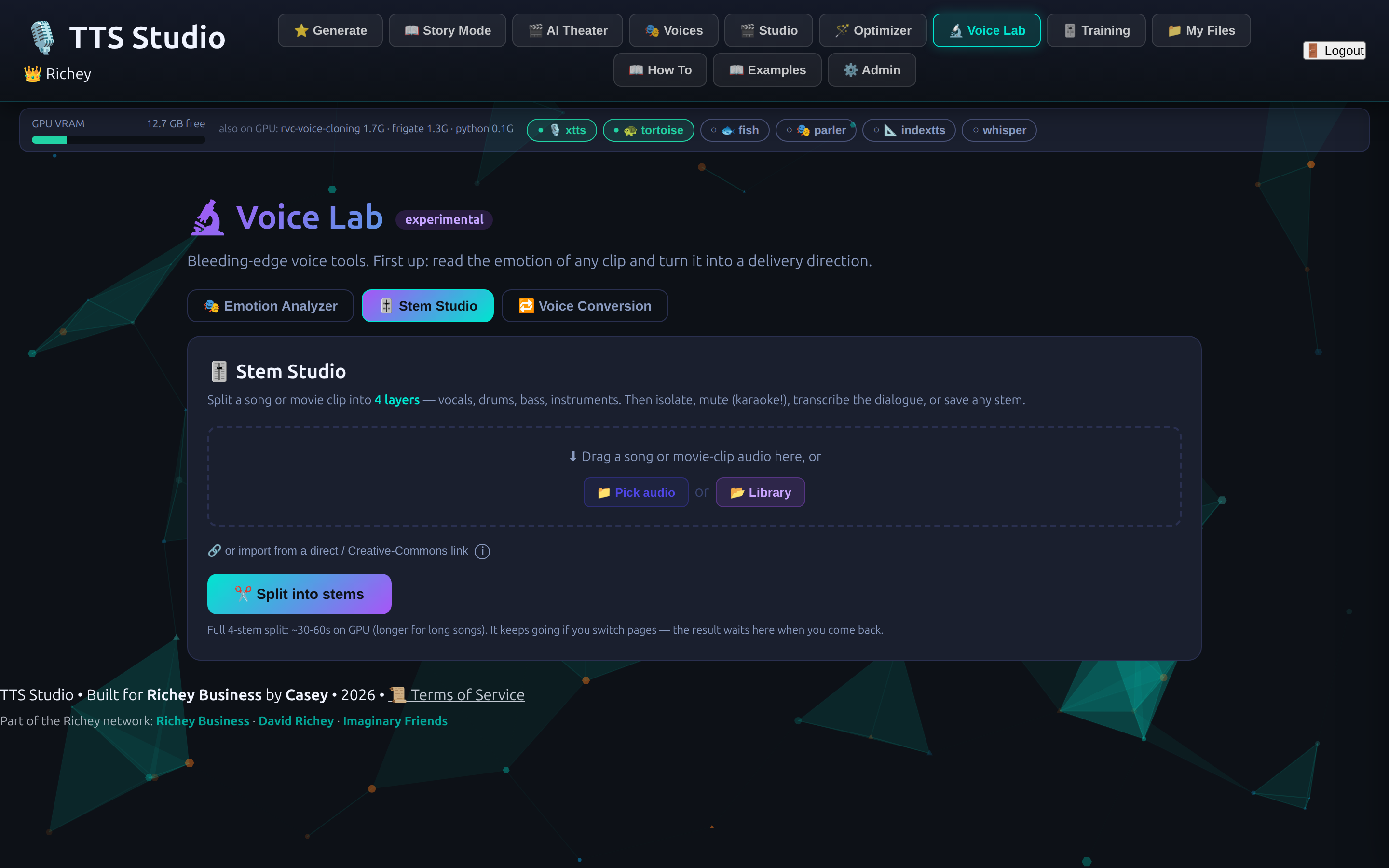
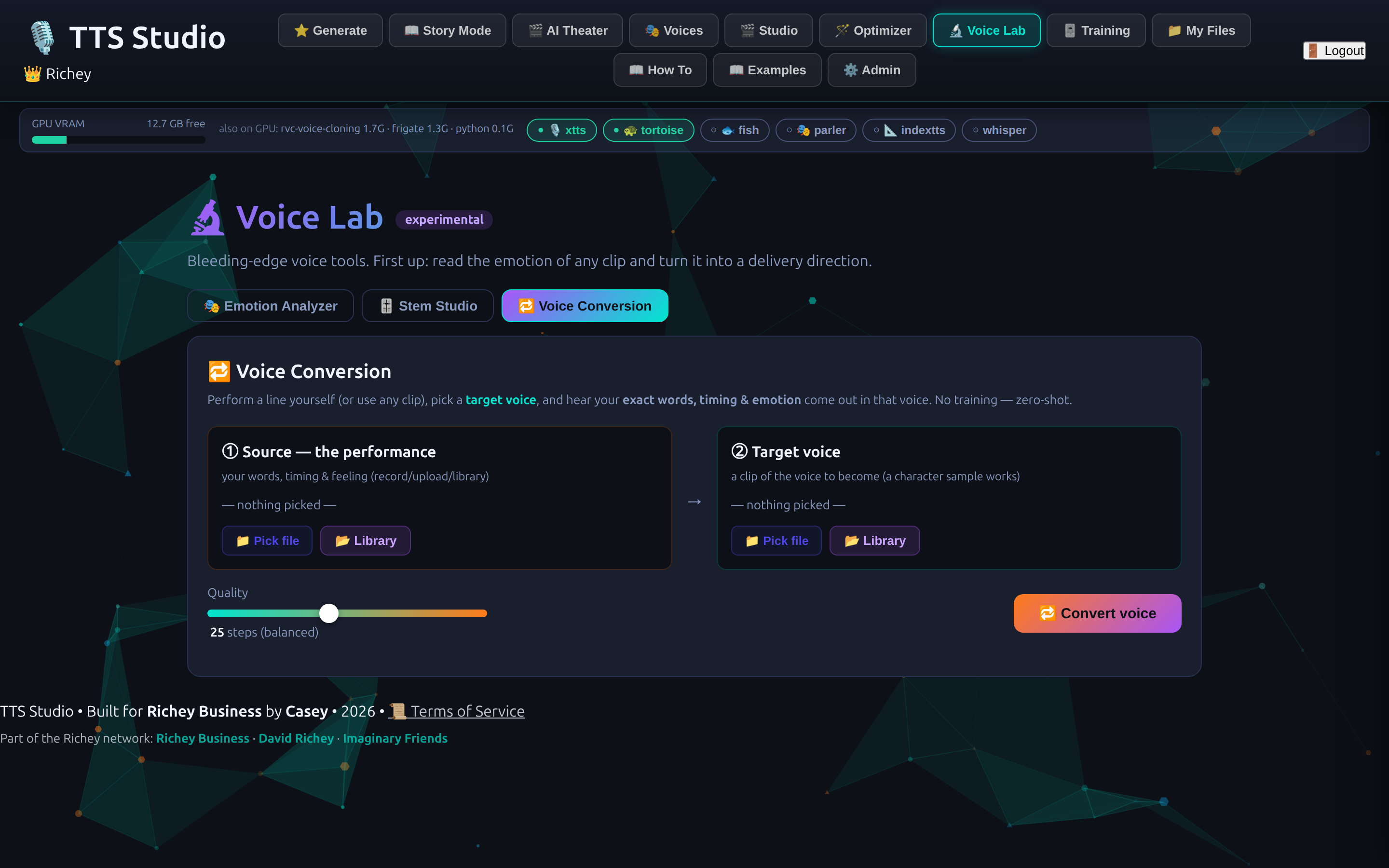
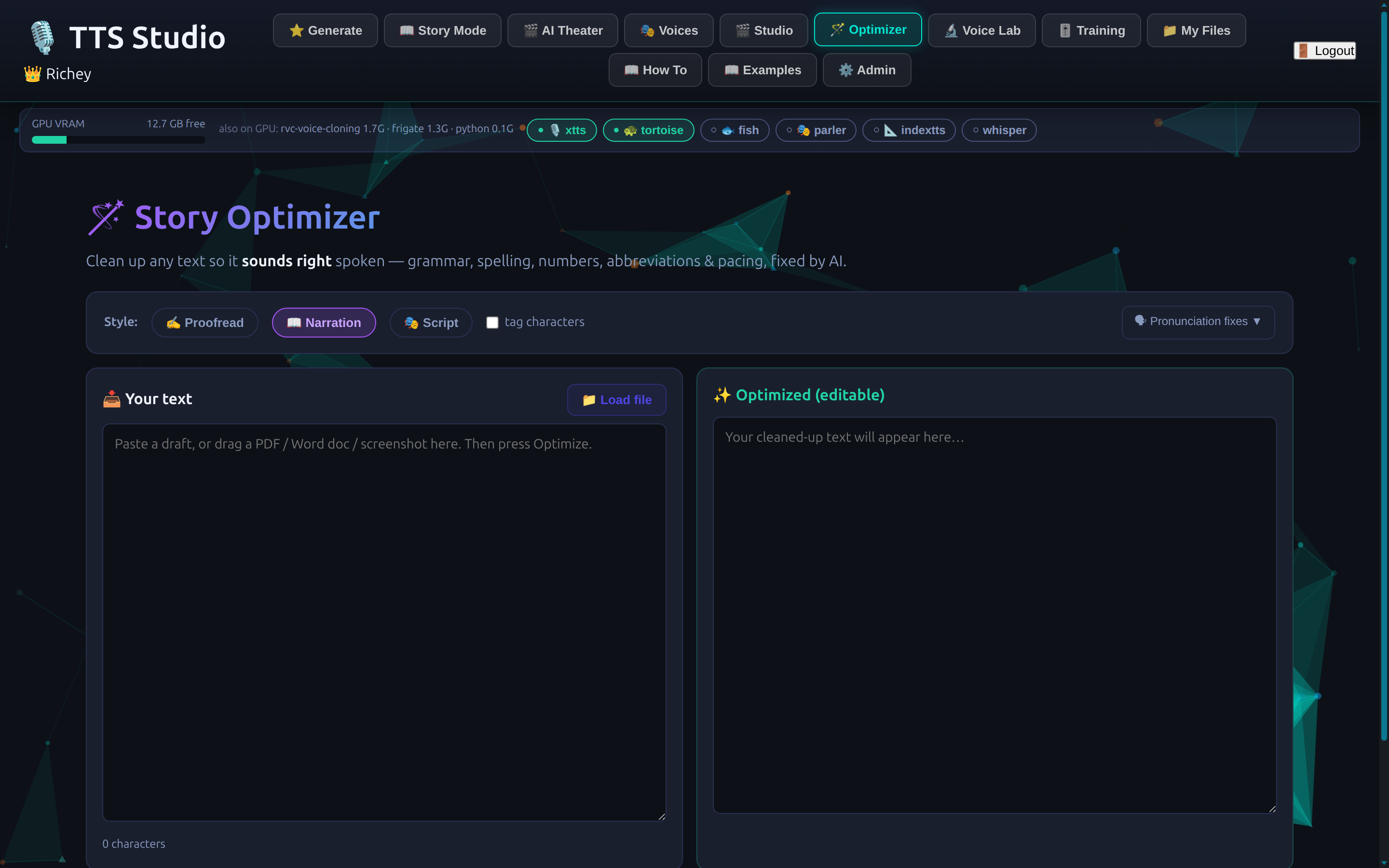
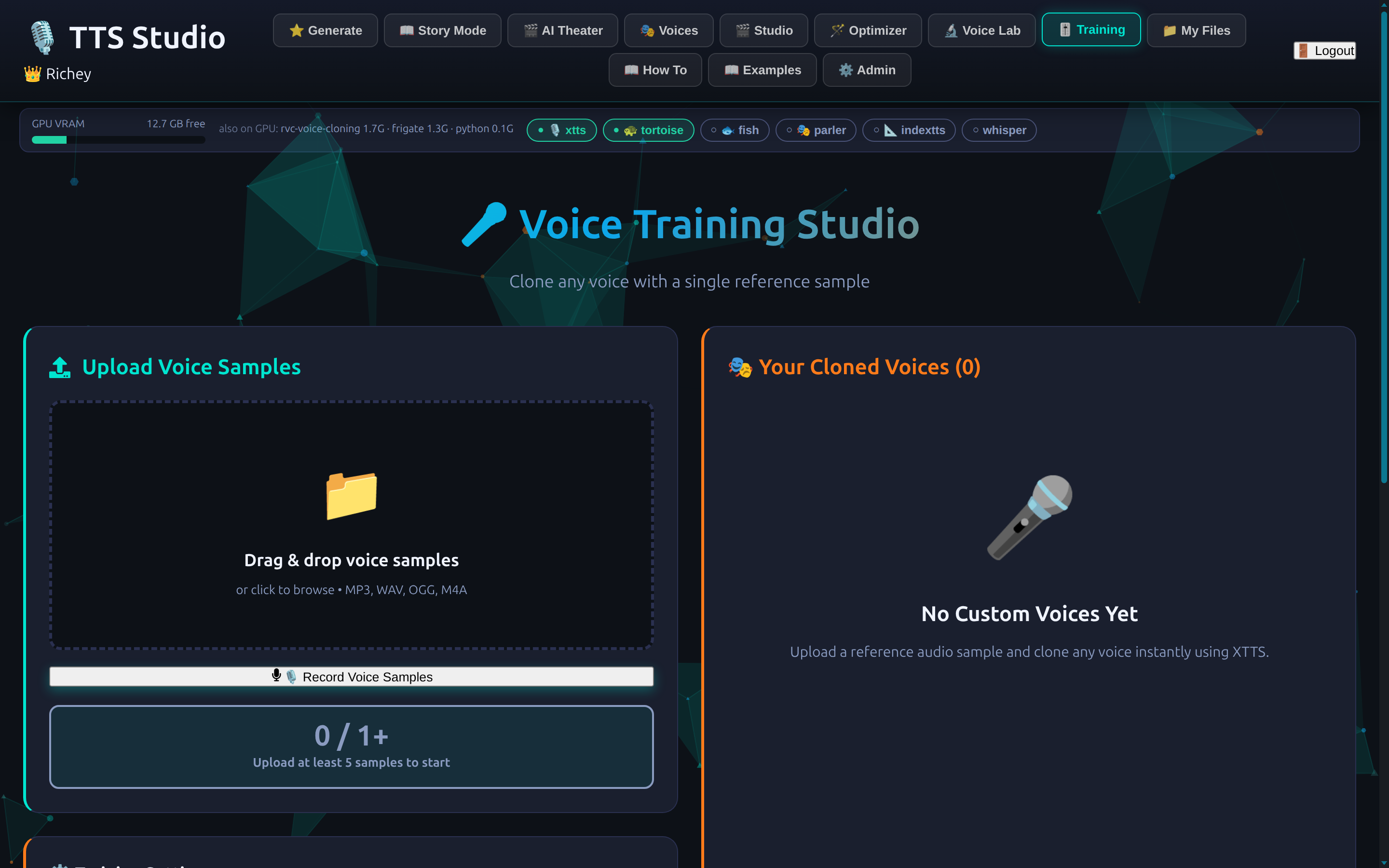
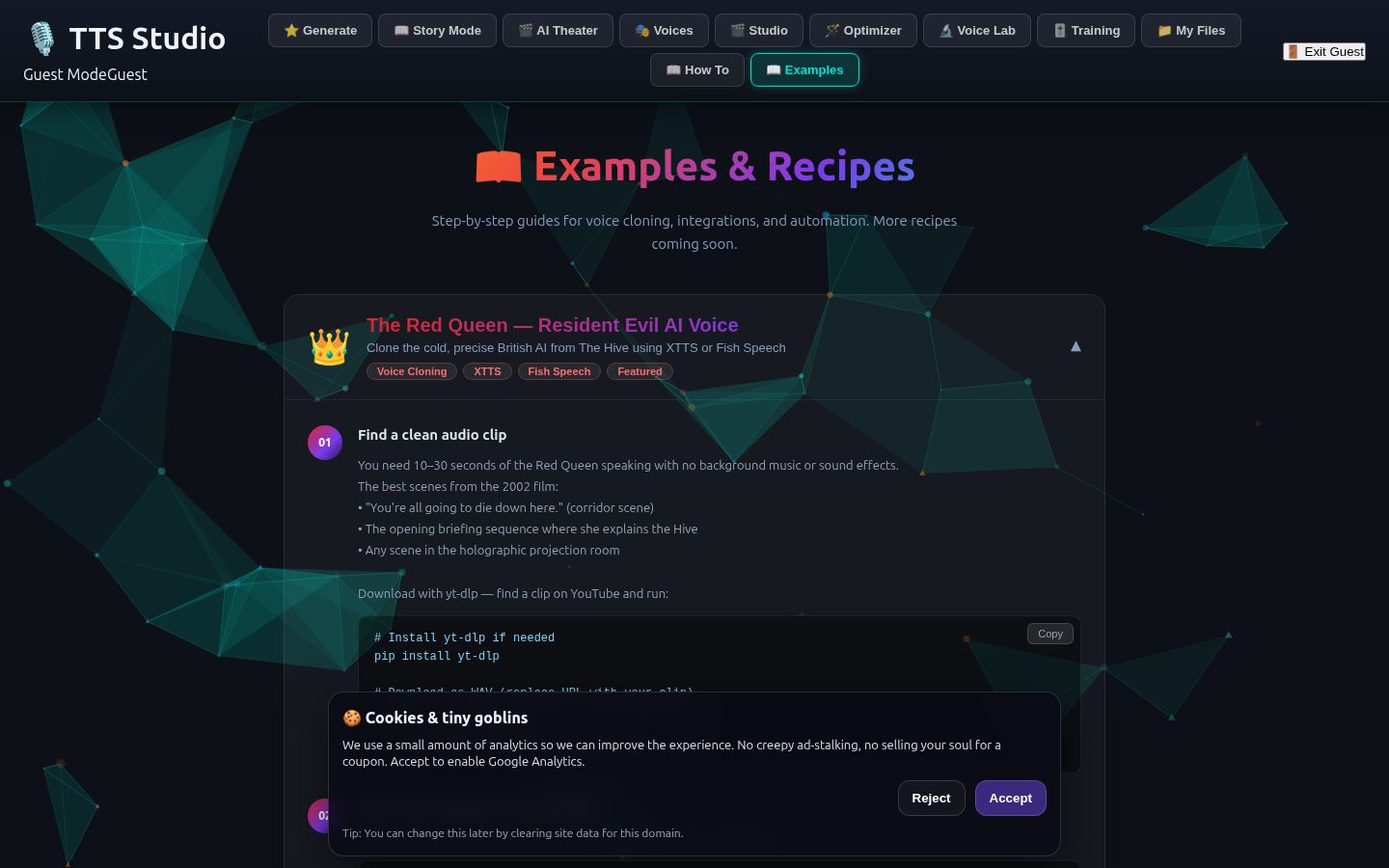
TTS Studio turns text into convincing speech: seven voice engines, instant cloning from a short clip, an AI that writes and casts whole audio dramas, and a Voice Lab that can take a song apart and read the feeling in a singer's voice.
It does what the big subscription voice apps do — and several things they can't — while every word, every clone, and every render stays on a machine you own. Nothing goes to the cloud. Ever.
It's a complete text-to-speech production studio that runs on your own hardware. Type a line and hear it in seconds. Upload thirty seconds of someone speaking and clone their voice — then use that voice anywhere in the app. Hand it a script and it produces a fully-cast scene, each character a different voice, each line directed with real emotion. Or let the AI write the story and cast it and perform it for you. Behind the friendly studio sit seven different speech engines and a local AI — but you never have to think about any of that. You describe what you want; the studio picks the right tool and renders it.
It's the difference between a robotic voice reading your words — and a performance of them.
Each engine is brilliant at one thing. TTS Studio quietly chooses the right one for the job — or you can, with a single dial.
Snappy preset voices for drafts and quick checks — speaks in about two seconds, all on the CPU, no warm-up.
Clones a voice from a short sample and reads in 17 languages — the workhorse for "make it sound like this person."
Cloning with real emotional range — give it a direction like "soft, breathless, on the edge of tears" and it performs it.
Audiobook-grade final renders. Slow and worth it — the voice you reach for when the take has to be perfect.
Describe the voice in words — "an older man, warm and gravelly, speaking slowly" — and it builds it.
Cloning with control over rhythm and pacing — for lines that have to land on a beat.
180-plus extra preset voices and accents on tap, for when you just need a different reader, fast.
A handful of focused tools that go from a single line to a finished production.
Type, pick a voice and a vibe, get clean studio audio in seconds. Save presets for the combinations you reach for again and again.
Upload one short clip and the studio clones that voice to every engine at once. Audition them side by side, pick the one that is your character — then they speak everywhere.
The AI writes an original story, invents the cast, assigns each a fitting voice, and performs the whole thing as a multi-voice production. Sit back and listen.
Script → takes → keeper. Each line is performed a few different ways; you star the best one, then hit Play Scene for a full table-read. Export the finished scene as one track.
Drop in a song or a voice clip and it reads the emotion — tempo, energy, brightness, the singer's range — and writes a delivery direction you can hand straight to a voice. Then hear it spoken that way.
Pull any track apart into vocals, drums, bass and instruments — four colored layers, each with its own player. Isolate one, mute one for instant karaoke, transcribe the vocals, or save a stem with a label.
Drop a PDF, a Word file, or even a photo of a page — it reads scanned text and handwriting with OCR — and narrates it. Long documents become listenable in a click.
A workshop that cleans text for the ear — fixing pronunciation, pacing and the little things that make TTS stumble — so your story sounds as good as it reads.
Record a sample right in the browser, trim it on a waveform, and clean up the noise — everything you need to make a good clone, with no other software.
If you have words that deserve a voice, it's for you.
Turn a manuscript into an audiobook — a distinct, consistent voice for every character, narrated start to finish without a booth.
Voice an entire cast on an indie budget. Prototype dialogue in the morning, ship a performance by night.
Narration, character reads, intros, and — with the Stem Studio — clean dialogue lifted out of a noisy clip, or an instant karaoke bed.
Simple enough for a child: read a bedtime story in a dragon's voice, or let the AI invent one and perform it. (It's genuinely fun for grown-ups too.)
Make anything listenable — documents, articles, the day's reading — in a warm, natural voice, privately, at home.
Phone greetings, announcements, training audio and explainers in a consistent brand voice — without a per-minute cloud bill.
From a blank page to a finished performance — and the clever bits that happen in between.
Paste text, drop a document, or ask the on-board AI to write you a story. A local language model does the writing, the casting, and the on-page help — privately, with no API bill.
Choose from hundreds of presets, or upload a short clip and the studio clones it to every cloning engine at once. Thirty seconds of clear speech is all it takes.
Tap an emotion, or type a note like "quiet menace, unhurried." The Voice Lab can even listen to a reference clip and write the direction for you.
Draft for speed while you shape the scene, the character's real cloned voice for the take, premium for the final render. The studio spins the right engine up on the GPU on demand and frees it when it's done.
Stitch the starred takes into a finished scene, export a single clean track, save labeled clips to your library — or split a song into stems and walk away with just the vocals.
Studio-grade voice work, on your own terms.
Runs on hardware you control. Your voice, your scripts, your clones — none of it leaves the building, and there's no per-character cloud meter running.
The hard part — choosing and feeding the right model — is hidden. You describe the voice and the feeling; the studio handles the rest.
One short sample becomes a reusable character across the whole app — no training queue, no studio, no fuss.
Two graphics cards split the load — voices render on one while separation and transcription run on the other — so the studio stays quick even with several jobs in flight.
A built-in assistant writes stories, suggests voices, cleans your text, and answers "how do I…?" in plain language — all from a model running on your own server.
Built and supported by Richey Business — you can actually reach us, and we actually answer.
The features that turn "a voice app" into a playground.
Drop in a track, isolate the singer's voice, and turn that voice into a character — then have it narrate your words. Your favorite vocalist, reading your bedtime story.
Voice conversion lets you act a line out loud with exactly the feeling you want — then re-voices it in a cloned voice, keeping your timing and emotion. Their sound, your performance.
The Stem Studio can lift the spoken words out of a scene, away from the score and the explosions — then transcribe them. Or mute the voices and keep the music.
Pull the vocals out and you've got a backing track. Keep only the vocals and you've got an a-cappella. One click each.
Because every render comes with a clean, ready-to-play link, your favorite character can announce the weather, the doorbell, or "someone's in the driveway" — anywhere you can play a sound.
The Voice Lab listens to a clip and tells you its mood in plain words — "gentle, wistful, unhurried" — and turns that into a direction. Emotion, measured and reusable.
Invite the people you care about by email or text; they set up their own private account and walk straight into their own studio. Made to be shared — especially with the kids.
Every voice has a simple, self-serving audio link, so other apps and projects on your network can ask TTS Studio to speak — turning it into your home's narrator-for-hire.
Every clip here was made by the studio itself — on a home server, no cloud. This is its party trick: voice conversion — one performance, re-voiced.
A line spoken in one voice — the words, timing & feeling.
A different voice to borrow.
The first performance — re-voiced as the second. Same words & timing, brand-new voice.
From the live studio — seven engines, one workspace.
Open the live studio and make your first clip, or talk to us about a private, self-hosted deployment of your own.